Ever wondered what TAA gaming is and how it makes your favorite games look so much better? Temporal Anti-Aliasing (TAA) is a vital graphics technology. It smooths out jagged edges that can distract from immersive gameplay. This advanced technique helps reduce shimmering and aliasing artifacts. Many popular games in the United States currently rely on TAA for superior visual fidelity. Understanding TAA helps you optimize your game settings for the best possible experience. This guide will explore its functions, benefits, and how it impacts your gaming performance. Discover why TAA has become a standard feature in modern PC and console titles. Learn to fine-tune your settings for clear, crisp visuals without sacrificing too much performance. TAA gaming ensures a polished and professional look on your screen.
What is TAA Gaming?
TAA Gaming refers to playing video games with Temporal Anti-Aliasing (TAA) enabled. This advanced graphics setting works to smooth out jagged edges on objects and textures within the game. It uses data from multiple frames over time to create a more polished and less pixelated visual experience for players.
How does TAA improve game visuals?
TAA significantly improves game visuals by effectively eliminating 'jaggies' or aliasing artifacts that appear as stair-stepped lines. It also reduces shimmering and flickering, especially on distant or fine details. This results in a much cleaner, more stable, and immersive image, enhancing the overall realism and enjoyment of the game.
Does TAA impact gaming performance?
Yes, TAA does impact gaming performance, though typically less severely than some older anti-aliasing methods like supersampling. Because TAA processes and blends data from multiple frames, it requires additional computational power from your graphics card. This can lead to a slight reduction in frame rates, depending on your hardware and game optimization.
Can TAA cause blurriness in games?
In some implementations, TAA can introduce a subtle blur or ghosting effect, particularly during fast camera movements or on very fine details. This occurs because of its temporal nature, blending past frames. However, developers continuously refine TAA, and many players find the trade-off acceptable for the significant reduction in aliasing it provides.
Is TAA better than other anti-aliasing methods?
TAA is often considered one of the most effective general-purpose anti-aliasing methods for modern games. It provides excellent visual quality for its performance cost. While methods like DLSS or FSR can offer superior results with AI upscaling, TAA remains a strong choice for those without compatible hardware or when those options aren't available.
Should I enable TAA for competitive gaming?
For competitive gaming, enabling TAA is a personal choice. While it improves visual clarity by smoothing edges, the potential for slight input lag or blur during rapid movements might be a concern for some pros. Many competitive players prioritize maximum frame rates and minimal visual processing, sometimes opting for no AA or lighter methods.
When diving into what is TAA gaming, you are exploring a crucial visual enhancement technique. TAA, or Temporal Anti-Aliasing, is a method designed to smooth out jagged lines and pixelated edges in video games. This technology works by using data from previous frames to refine the current frame. It effectively creates a much softer and more realistic image on your screen. Gamers across the United States appreciate how TAA delivers a less distracting visual experience. It significantly reduces flickering and crawling artifacts that often appear on distant objects or thin geometry. Understanding what is TAA gaming helps you optimize your graphics settings for peak enjoyment.
Understanding What is TAA Gaming
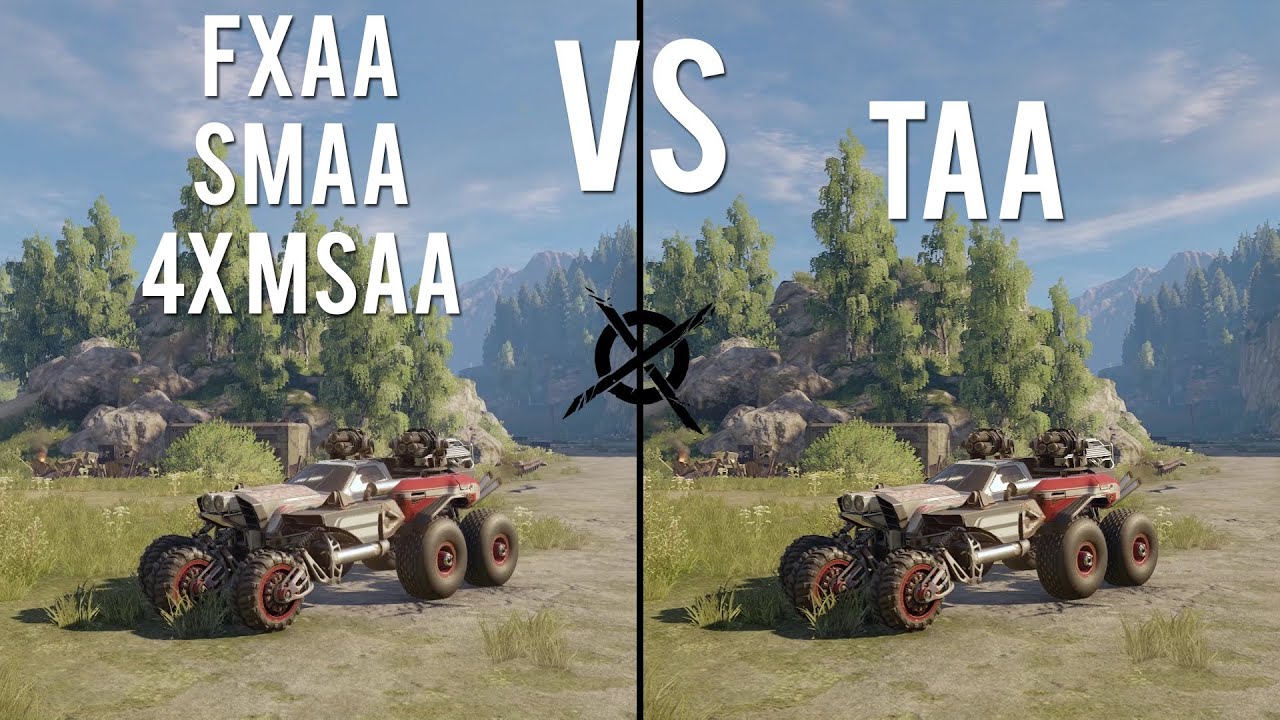
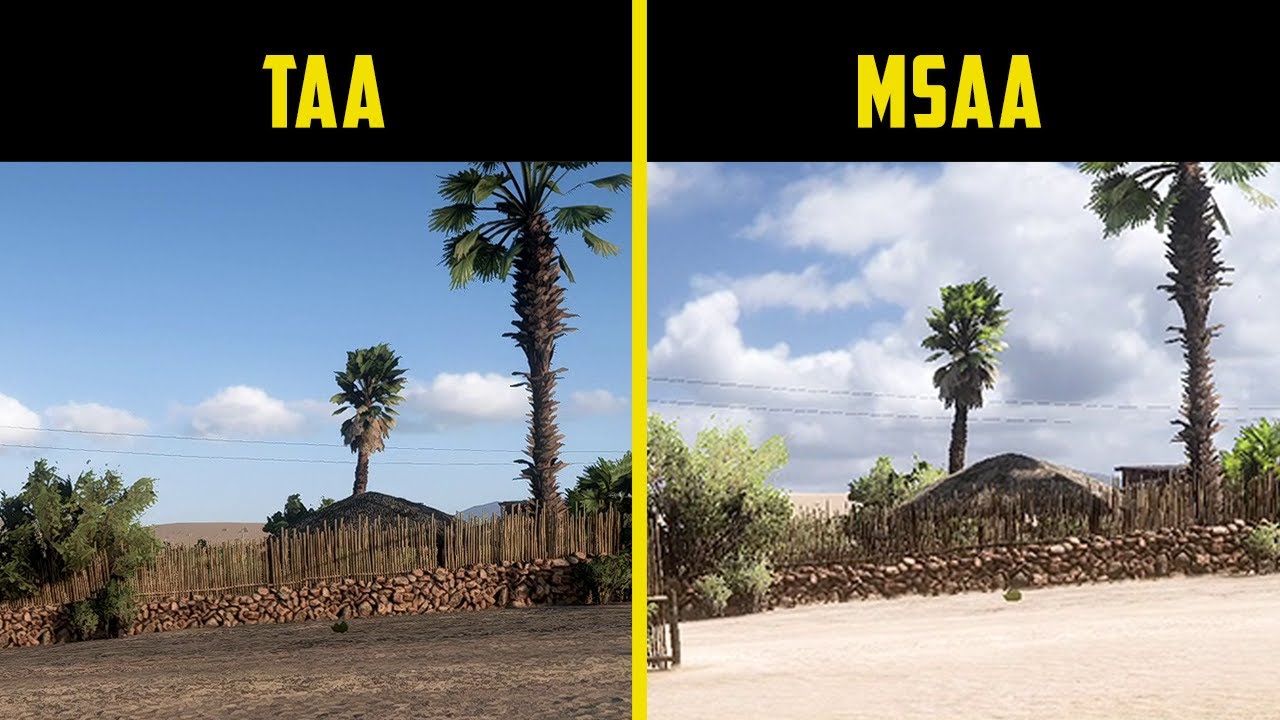
What is TAA gaming centers on a sophisticated anti-aliasing approach. Traditional methods like FXAA or MSAA process each frame independently. TAA takes a different route, leveraging information across multiple frames. This temporal component is key to its effectiveness in eliminating aliasing. The algorithm blends pixels from past frames with the current frame. This process generates smoother lines and more stable images during motion. It is especially effective at reducing shimmering, a common issue in many high-fidelity games. TAA gaming ensures that your visual world remains cohesive and clean as you move through it.
How What is TAA Gaming Works
The mechanics behind what is TAA gaming involve clever frame interpolation. As your graphics card renders a scene, TAA records color and depth data from slightly different camera positions over time. When a new frame is generated, TAA reuses this historical data. It then intelligently combines it with the current frame’s information. This blending process effectively fills in the gaps between pixels. This results in smoother transitions and a more continuous appearance of edges. The goal is to make every line appear seamless, reducing the visual noise often seen in games. TAA gaming utilizes your GPU's power to deliver this polished look.
The Impact of What is TAA Gaming on Your Visuals
Implementing what is TAA gaming can dramatically improve your visual experience. It makes environments and characters appear much more realistic and less digitized. Jagged edges, often called 'jaggies,' become significantly less noticeable. This creates a more immersive and aesthetically pleasing gameplay session. However, there can be a trade-off in some scenarios. Some players might perceive a slight blurriness, especially during fast motion. This happens because of the temporal blending of frames. Adjusting TAA settings often allows you to find a balance between sharpness and edge smoothness. TAA gaming strives for visual perfection in every scene.
- Smoother Edges: TAA effectively removes pixelated lines on objects.
- Reduced Shimmering: Distant details appear more stable and less prone to flickering.
- Improved Immersion: A cleaner image enhances the overall realism of the game world.
- Potential Blur: In some cases, very fast motion can introduce a soft visual effect.
- Performance Cost: TAA requires GPU resources, which can impact frame rates.
Comparing What is TAA Gaming with Other Anti-Aliasing
| Method | Description of What is TAA Gaming | Pros | Cons | Performance Impact |
| TAA (Temporal Anti-Aliasing) | Uses historical frame data to smooth edges over time. | Excellent edge smoothing, reduces shimmering, good stability. | Can introduce slight blur, ghosting artifacts possible. | Moderate to High |
| FXAA (Fast Approximate Anti-Aliasing) | Post-processing filter applied to the entire rendered image. | Low performance impact, good for older hardware. | Less effective at edge smoothing, can blur textures. | Low |
| MSAA (Multisample Anti-Aliasing) | Renders multiple samples per pixel at polygon edges. | Very sharp edges, high quality. | High performance cost, only works on geometric edges. | High |
Optimizing What is TAA Gaming for Performance
To get the most out of what is TAA gaming, optimization is key. While TAA generally offers a good balance of quality and performance, it can still be demanding. Consider adjusting the render resolution scale within your game settings. Slightly increasing the resolution can sometimes sharpen the image. This helps mitigate any perceived blur from TAA. Experiment with different anti-aliasing options if TAA is causing too much performance hit. Some games offer custom TAA settings, allowing you to fine-tune its intensity. Finding the sweet spot ensures you enjoy smooth visuals without impacting your frame rate significantly. TAA gaming allows for a customized visual experience.
What Others Are Asking? What is TAA Gaming?
Is TAA good for gaming?
Yes, TAA is generally very good for gaming, especially for modern titles. It excels at smoothing jagged edges and reducing shimmering, making scenes appear much more realistic. While it can introduce minor blur, its benefits usually outweigh this for most players seeking high visual fidelity. It enhances overall immersion significantly.
Does TAA make games blurry?
TAA can sometimes make games appear slightly blurry, particularly during fast camera movements. This effect is a byproduct of its temporal sampling technique, which averages data across frames. However, many developers refine TAA implementations to minimize blur, and it's often less noticeable than the aliasing it prevents. Adjusting resolution scaling can also help.
Should TAA be on or off?
Whether TAA should be on or off depends on your personal preference and hardware. If you prioritize smooth, stable images and hate jagged edges, keep it on. If you prefer absolute sharpness and notice the blur, or if you need every frame rate, try turning it off. Experimentation helps you decide what works best.
What is the best anti-aliasing for gaming?
The 'best' anti-aliasing for gaming varies by game and preference. TAA is widely considered excellent for modern titles, offering a great balance of quality and performance. Other options like DLSS or FSR are superior if your GPU supports them, as they offer AI-upscaling with anti-aliasing. Older methods like MSAA are powerful but often too demanding for complex scenes.
What is the difference between TAA and FXAA?
TAA (Temporal Anti-Aliasing) uses data from multiple frames over time to achieve superior edge smoothing and shimmer reduction. FXAA (Fast Approximate Anti-Aliasing) is a simpler, post-process filter applied to the entire image. TAA generally offers much higher visual quality for edges but at a greater performance cost than the less effective FXAA.
FAQ About What is TAA Gaming
What is TAA Gaming?
TAA Gaming refers to playing video games utilizing Temporal Anti-Aliasing (TAA), a graphics technique. It smooths out jagged edges and pixelated lines on screen. TAA blends information from previous frames with the current one. This creates a much cleaner and more visually stable image for gamers.
Why is TAA Gaming important?
TAA Gaming is important because it dramatically improves visual quality by eliminating distracting 'jaggies' and shimmering. This enhancement makes game worlds appear more realistic and immersive. It allows players to focus on the action without visual artifacts. TAA has become a standard for high-fidelity gaming experiences.
How does TAA Gaming affect performance?
TAA Gaming impacts performance by requiring additional GPU processing power. This can lead to a slight decrease in frame rates compared to having no anti-aliasing or lighter methods. However, its visual benefits often justify the moderate performance cost for many gamers. Modern GPUs handle TAA efficiently in most titles.
Who benefits most from TAA Gaming?
Gamers with high-resolution monitors and those sensitive to visual imperfections benefit most from TAA Gaming. Players who prioritize visual immersion and a polished look will find TAA invaluable. It is particularly effective in games with intricate details or dynamic environments. Everyone can appreciate smoother graphics.
Enhances visual smoothness, Reduces jagged edges and shimmering, Impacts game performance, Standard in modern games, Offers improved image stability, Temporal anti-aliasing explanation
35

Top 10 Most Anticipated Games Of 2026 What To Watch Out For GAMES IN 2026 . TAA Pioneering The Future Of Gaming Experience Today LevelUpTalk Future Of Gaming. Why Modern Video Games Look Blurry TAA Vs MSAA In 5 GAMES . TAA Crossout YouTube . In Game On TAA Options LevelUpTalk Taa Gamer.webp



All New Video Games Releasing In 2026 Gta 6 Promo Art . 2026 XpLa 2026 Video Game Release Dates Post Feature Image . Cyberpunk 2077 DLAA Mod 1440p TAA Vs DLAA Vs DLSS 3 1 Graphics . Improve TAA Quality And Performance In All Unreal Engine Games Gen 5 P IQrY . Gaming 2026 Full Release Calendar Games 2026


TOP 21 NEW Upcoming Games Of 2026 YouTube . Anti Aliasing Comparison TAA Vs FXAA Comparison . Squad TAA FIX And AA Comparison YouTube . 5 Most Anticipated Video Games For 2026 Deltia S Gaming 5 Most Anticipated Video Games For 2026 . Xbox Game Pass In 2026 The Full List Of Everything Announced So Far Large


TOP 10 BEST NEW Upcoming Games Of 2026 YouTube . So Forza Horizon 5 Just Added TAA Is It Any Good YouTube . AMD Chinese Firm Develop 1000Hz Gaming Monitor 2026 Release World . 2026 Gaming Industry Trends What To Expect Beyond Price Rise In Game . Taipei Game Showcase 2026 Dates Location And Information Insider Gaming Taipan Game Showcase 2026

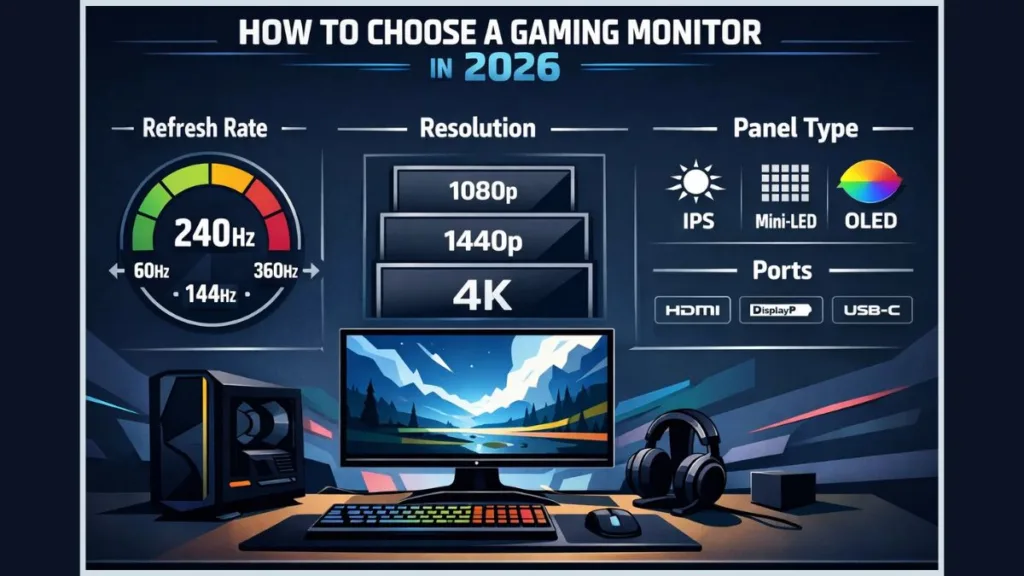
Gamescom 2026 All Confirmed Major Game Demos Deltia S Gaming Gamescom 2026 All Confirmed Major Games Demo . TAA Vs FXAA Which Is Better Dillo TAA Vs FXAA 1024x576 . Gamescom 2026 All Confirmed Major Game Demos Deltia S Gaming EA FC 26 Pre Order Bonus Leaked For All Editions . Best GPUs For Gaming 2026 Top VGA Cards Ranked By Performance 6 Best GPUs For AI And Deep Learning In 2026.webp. How To Choose A Gaming Monitor In 2026 Complete Gaming Monitor Buying Gaming Monitor Guide 2026

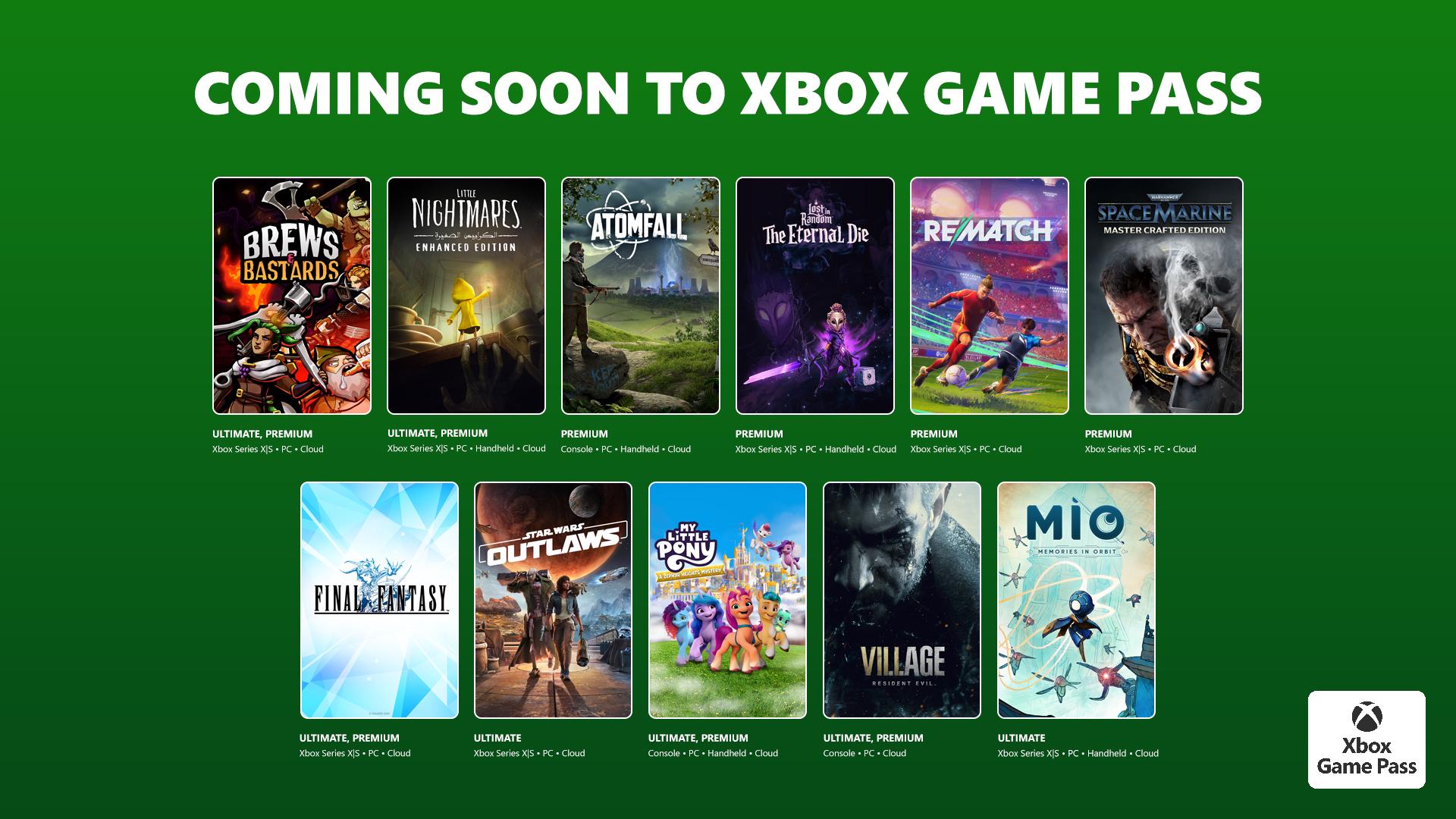


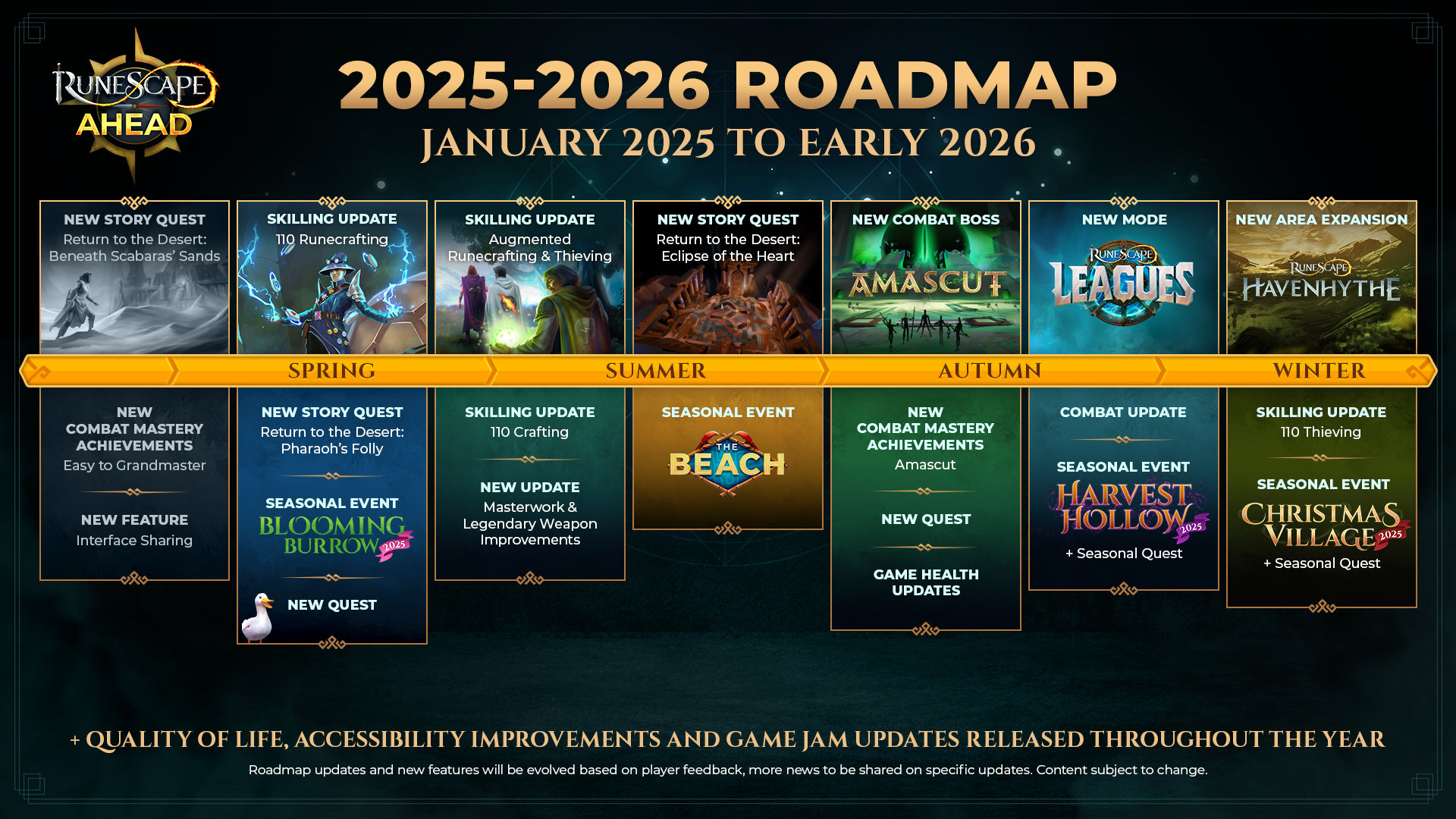
Xbox 2026 Comeback Starts On January 22 With Forza Horizon 6 And Fable Best Gaming Consoles Hero Image . Capcom S Enigmatic Pragmata Finally Has A Release Date And You Ll Be . What Is GAD In Madden 26 GamesRadar . 2026 NBA All Star Game To Feature New U S Vs World Competition NBA Com All Star 26 Explainer AS26 V716x9 03 . RuneScape Ahead 2025 2026 Roadmap Review RuneNation An OSRS PvM Roadmap




New 2026 Tata Punch Teased Ahead Of 13th January Launch New Tata Punch 2026. Most EXCITING AAA Games Of 2025 2026 YouTube . TAA Texas Apartment Association Lockup B1 . The 2026 Gamer S Guide Everything You Need To Know 7f33b68a Gameguide 2026 . LEAKED Xbox Prime Next Generation Console For 2026 Xbox Developer